

Template vs boilerplate for Next.js SaaS (2026)
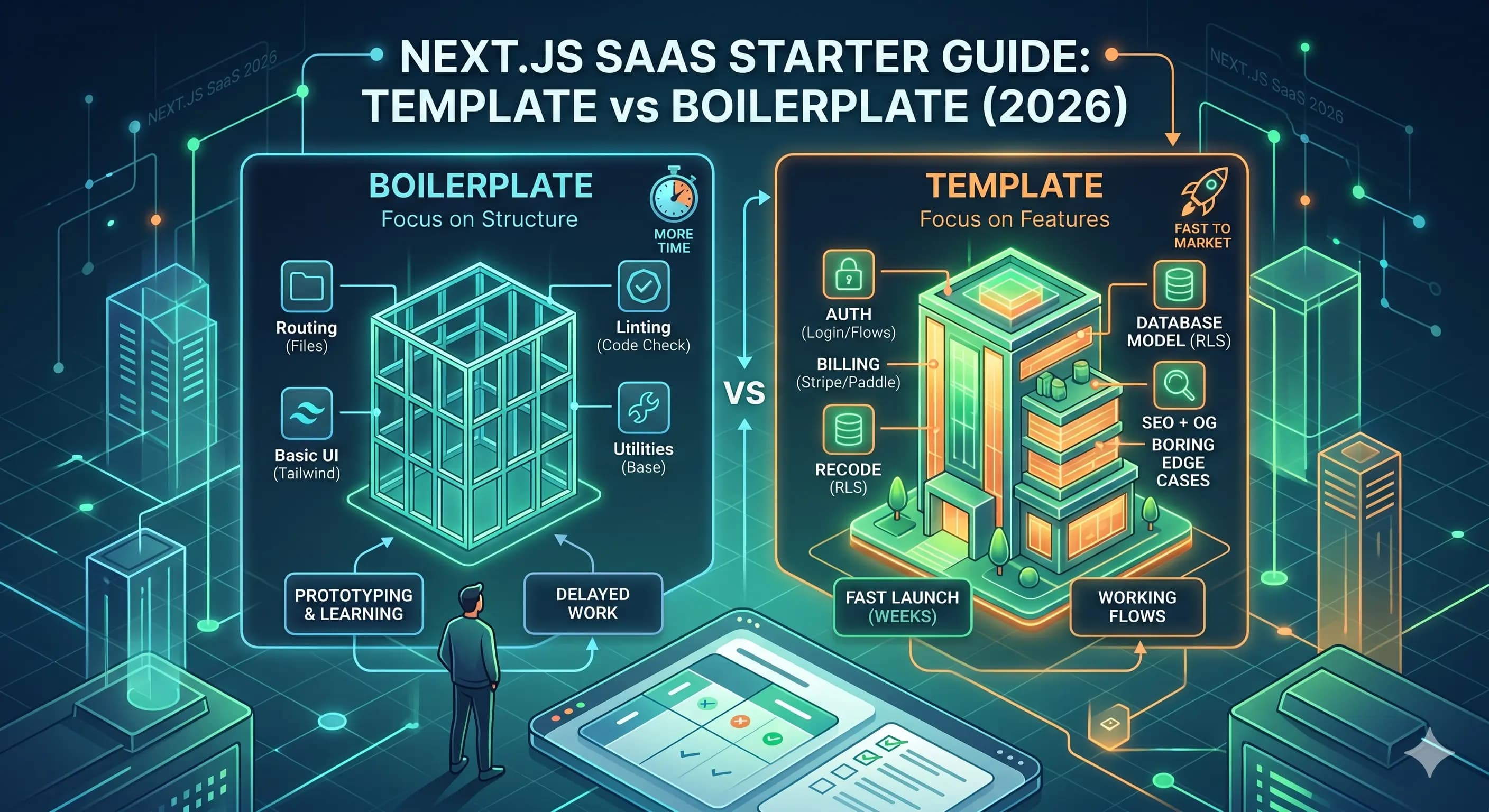
You are not really choosing “blank repo vs starter.” You are choosing how much product wiring you want to inherit: routing only, or auth plus billing plus the boring edge cases.
Below is how we split boilerplate from template, what we actually look for in a starter, and a fast way to decide before you marry a codebase.
Template vs boilerplate (the real difference)
Both words are used interchangeably, but they usually describe different levels of completeness:
- Boilerplate: a starter project focused on structure and conventions (routing, linting, basic UI, a few utilities).
- Template: a boilerplate plus product features and working flows (auth, billing, onboarding, settings, emails, SEO, docs).
If you’re selling to real customers soon, you typically want a template: because what slows launches down is not “setting up Tailwind,” it’s wiring the flows and edge-cases you discover after the first week of users.
What we expect before we call it “shippable”
Rough checklist for a Next.js SaaS starter you would bet a launch on:
1) Authentication and authorization
- Login/signup flows
- Session handling that works with the App Router
- Role-based access or at least a sane foundation
- Secure server-side checks (not “hide buttons” checks)
2) Billing that survives real usage
- Checkout flows and success/cancel pages
- Webhooks (and idempotency)
- Grace periods, cancellations, and failed payments
- A customer portal for plan management
3) A database model that won’t collapse
- Clear “who owns what” rules (user/org/workspace)
- Row Level Security if you’re using Supabase
- Audit fields (
created_at,updated_at)
4) SEO + social sharing
- Good defaults for metadata
- Canonicals and Open Graph
- Sitemap + robots.txt
- Structured data where it makes sense
5) The boring-but-critical stuff
- Error handling patterns
- Logging strategy
- Analytics hooks
- A docs section (so future-you can ship changes safely)
If your starter doesn’t include these, you’re not saving time: you’re just delaying the work until it becomes urgent.
How to choose quickly (a decision matrix)
Pick a boilerplate when:
- You’re prototyping and expect big pivots
- You don’t know your billing model yet
- You want to practice building flows yourself
Pick a template when:
- You’re launching in weeks, not months
- You want proven flows and UX patterns
- You want to avoid “integration potholes” (webhooks, auth, RLS, envs)
A simple way to evaluate a template before you buy
Ask these five questions:
- Does it include working auth and authorization patterns?
- Is billing implemented with webhooks and realistic failure states?
- Is the data model documented (even briefly)?
- Does it come with docs you’ll actually use?
- Can you rebrand it quickly without hunting for strings?
If you want an example of what this looks like end-to-end, check SaaSForge AI at /saasforge-ai and the docs at /saasforge-ai/docs.
Final takeaway
The best “starter” is the one that removes the work you never wanted to do in the first place: without locking you into rigid architecture.
If you’re building a SaaS, start from a template that is opinionated about the essentials (auth, billing, database, SEO), and flexible everywhere else.